# Day 1 Retention Optimization Product Guide
# 1. What is day 1 retention optimization?
Day 1 retention optimization is a dual-target placement product. It can be divided into automatic optimization and day 1 retention dual bidding. Automatic optimization maximizes day 1 retention while preserving the CPA. Day 1 retention dual bidding preserves both the retention rate and CPA. Day 1 retention optimization is designed for clients with greater demands for user acquisition volume and post-acquisition quality (day 1 retention). By enabling flexible settings for conversion bids and retention rates, it can better meet client demands for both the scale of new user acquisition and the quality of post-acquisition user conversions.
# 2. How day 1 retention optimization works
Day 1 retention optimization is divided into three stages: learning, learning success, and learning failure.
a. Automatic optimization
- Learning: This is when the system learns and experiments. This stage requires a minimum of 50 conversions to run, and the costs during this stage may either exceed or fall short of anticipated costs.
- Learning success: The system has successfully completed its learning and experiments. It will now perform smart placements based on its day 1 retention prediction model to control conversion costs and maximize day 1 retention.
- Learning failure: There were fewer than 50 conversions in 7 days - the learning and experiments failed. Try another week or two of observation. If costs remain high, we recommend optimizing settings like ad group bidding, targeting, ad creatives, etc.
b. Day 1 retention dual bidding
- Learning: This is when the system learns and experiments. This stage requires a minimum of 20 next-day retentions to run, and the costs during this stage may either exceed or fall short of the anticipated costs.
- Learning success: The system has successfully completed its learning and experiments. It will now perform smart placements based on its day 1 retention prediction model to control conversion costs and optimize day 1 retention to meet the client's requirements.
- Learning failure: There were fewer than 20 next-day retentions in 7 days, and thus the learning and experiments failed. Try another week or two of observation. If costs remain high, we recommend optimizing settings like ad group bidding, targeting, ad creatives, etc.
# 3. How to use day 1 retention optimization
Recommended products: Products that assess CPA and have requirements for day 1 retention
All-channel data postback: We recommend allowing all-channel postback with day 1 retention data one week in advance. For postback instructions, see: Standard Tripartite Docking
We strongly recommend that you not only provide day 1 retention data but also postback other all-channel in-app events (e.g. registration, payments, etc.). More user data will help the model learn faster and accurately identify your high-value users.
Data verification: Before creating an ad, make sure the data on the Mi Ads platform matches the data on the third-party/advertiser dashboard without error.
Permissions: If the platform bidding module does not display the "day 1 retention" optimization event, ask your AM to turn on day 1 retention optimization permission.
Create ad group:
- We suggest checking the "Use preferred placement" option.
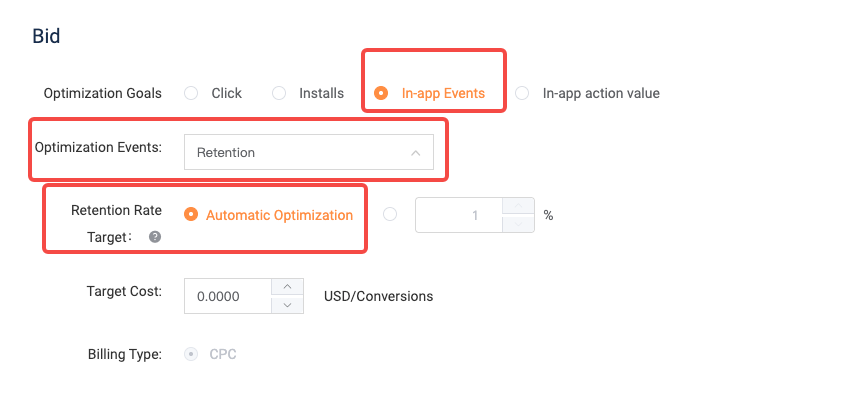
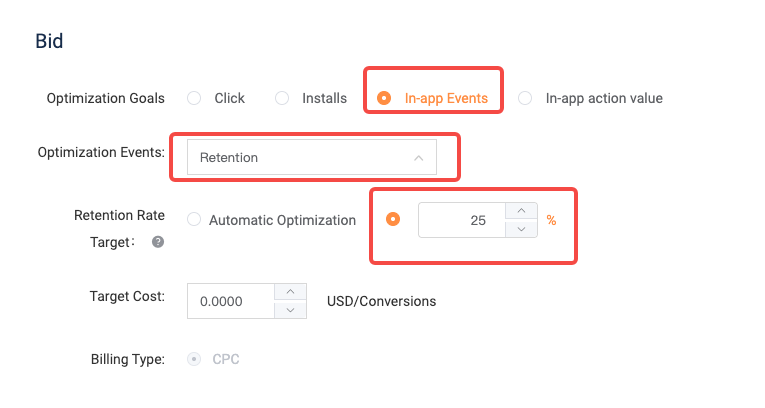
- Bidding module: For the optimization target, select in-app events. For the optimization event, select day 1 retention. For the retention rate target, choose automatic optimization or enter the expected retention rate. For the target cost, enter the projected CPA.
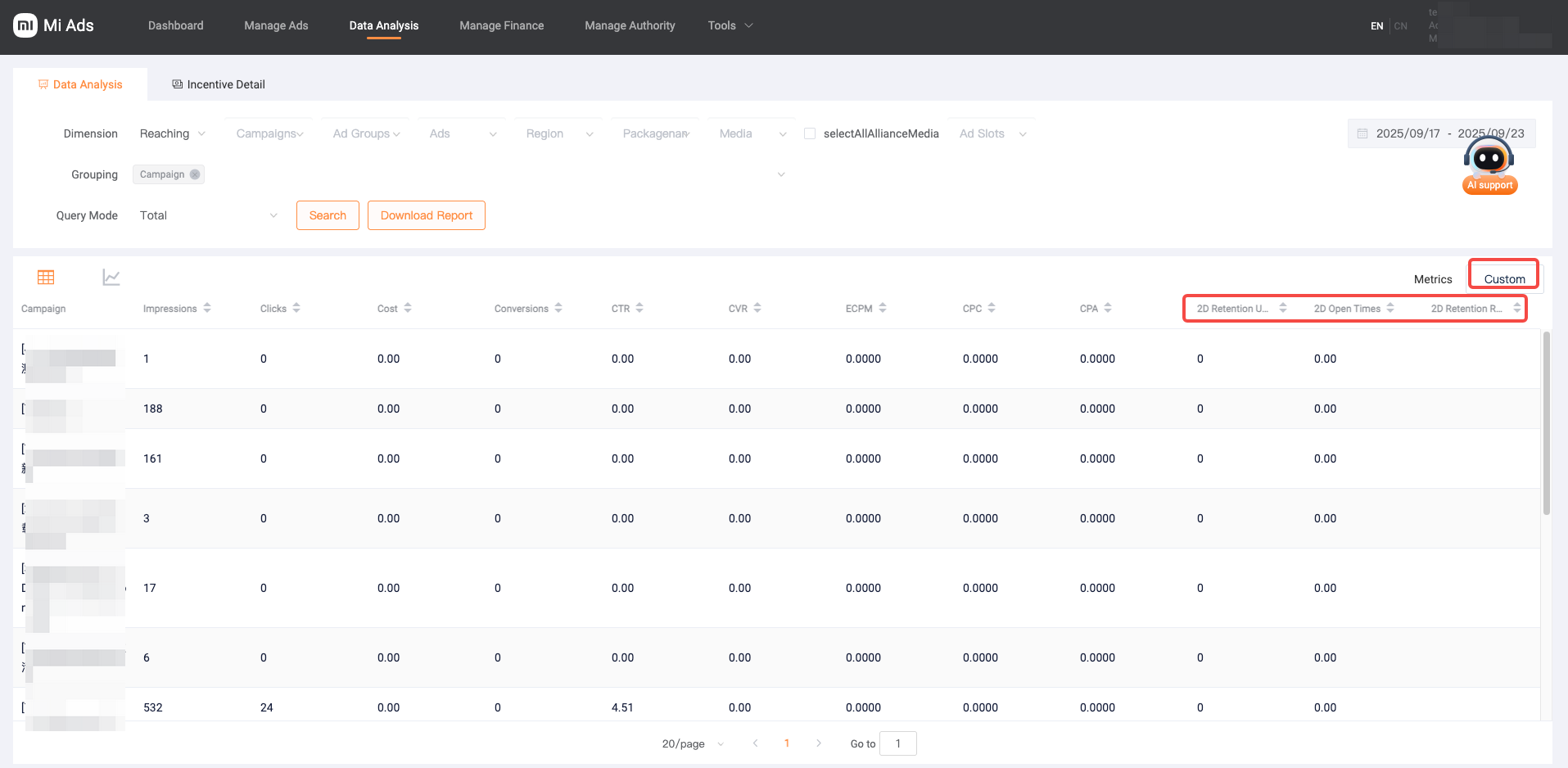
- Evaluation: One-day performance will be heavily subjected to fluctuations, so we suggest that you evaluate performance 2-3 days after the learning stage. Observable metrics: CPA/next-day retention/number of next-day retained users/next-day retention rate, filtered in custom columns