# ROAS Product Guide
# 1. What is ROAS optimization?
ROAS bidding is a bidding product that directly optimizes ad ROAS by ensuring the achievement of a specific return on ad spend (the ROAS target value set by the client) while striving to maximize conversion value. This bidding product is suitable for clients with relatively stable ad campaigns and a significant volume of ad monetization events via postback. Compared with the volume expansion phase, it places greater emphasis on LTV and is intended for clients who aim to achieve their target ROAS.
# 2. How ROAS optimization works
- Learning: This is when the system learns and experiments. This stage requires a minimum of 50 conversions to run, and the costs during this stage may either exceed or fall short of anticipated costs.
- Learning success: The system has successfully completed its learning and experiments. It will now perform smart bids based on its ROAS prediction model to ensure that the ROAS reaches the client's anticipated level.
- Learning failure: There were fewer than 50 conversions in 7 days - the learning and experiments failed. Try another week or two of observation. If costs remain high, we recommend optimizing settings like ad group bidding, targeting, ad creatives, etc.
# 3. Exemplary cases of ROAS optimization
For an IAA gaming industry client who used the Mi Ads platform to expand user growth and monetized traffic by using advertising SDKs such as Columbus, results improved considerably after using ROAS optimization.
Optimization objectives | Average daily costs | Revenue | D0 ROAS |
|---|---|---|---|
D0 ROAS vs conversions | ↑40% | ↑95% | ↑39% |
# 4. How to use ROAS optimization
Recommended products: IAA products where advertisers wish to enhance D0 Ad ROAS performance
All-channel data postback: We recommend allowing all-channel postback of ad monetization revenue data one week in advance. For postback instructions, see: Standard Tripartite Docking
We strongly recommend that you also postback other all-channel in-app events (e.g. registration, payments, etc.). More user data will help the model learn faster and accurately identify your high-value users.
Data verification: Before creating an ad, make sure the data on the Mi Ads platform matches the data on the third-party/advertiser dashboard without error.
Data accumulation: Mi Ads account × product d0 revenue >1 over the last 7 days
Permissions: If the platform bidding module does not display the "conversion value" optimization target, ask your AM to turn on ROAS optimization permission.
Create ad group:
- We suggest checking the "Use preferred placement" option.
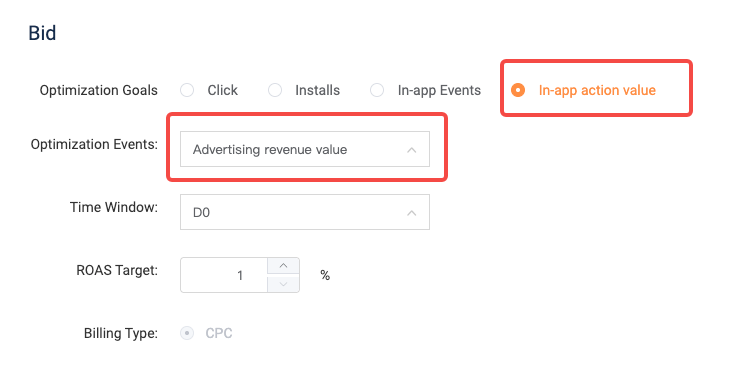
- Bidding module: Select the target optimization conversion value. Current optimization events support ad revenue value. The Date tab supports D0. For the ROAS target, enter the expected D0 ROAS.
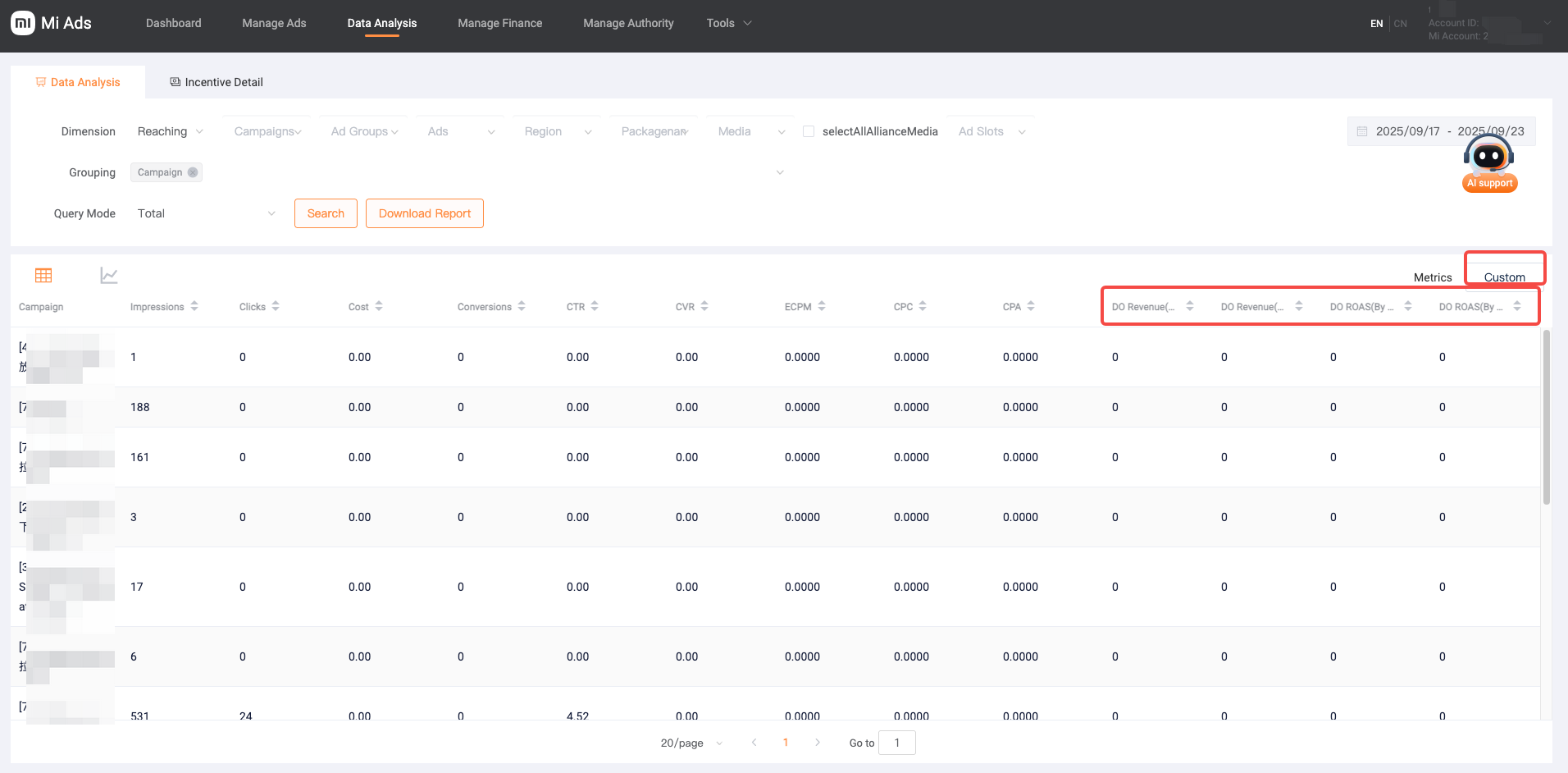
Evaluation: One-day performance will be heavily subjected to fluctuations, so we suggest that you evaluate performance 2-3 days after the learning stage. Observable metrics: D0 Revenue (conversion time)/D0 Revenue (billing time)/D0 ROAS (conversion time)/D0 ROAS (billing time), filter in custom columns
- Conversion time: Statistics are collected up to the day when the conversion occurs
- Billing time: Statistics are collected up to the day when the click event occurs