# oCPC Incentive Policy
Updated on: October 15, 2025
# 1. Background
The oCPC Product Incentive Policy was introduced by Mi Ads to help advertisers control their campaign costs and encourage them to maintain consistent advertising budgets.
# 2. Scope
- The policy takes effect automatically when advertiser uses oCPC for ad placement; no application is required.
- This policy will be reviewed and updated as necessary on a quarterly basis. If any updates could significantly affect your rights or interests, Mi Ads will notify you in advance of the changes by email, in-platform message, public announcement, or other methods deemed appropriate by Mi Ads, and will clearly state when the updated policy will take effect. After the policy is updated, your continued use of oCPC-related services will be deemed as your acceptance of the updated policy. If you do not agree to the updated policy, please stop using oCPC-related services before the updated policy takes effect. Mi Ads reserves the right of final interpretation of this policy.
# 3 Incentive rules
Incentive criteria | Implementation details |
|---|---|
Guarantee cycle | Complete ad cycle |
Guarantee requirements | If the conversion cost exceeds the target bid, the excess amount will be fully refunded as incentive credit. |
Statistical measurement | Monthly incentives are calculated at the ad group level. |
Account top-up method | Settled based on (actual monthly spend - target monthly spend) |
Account top-up time | The incentive top-up for the previous month will be automatically credited between the 10th and 15th of each month. |
Other requirements |
|
# 4. Calculation rules
Optimization Event | Marketing objectives | Incentive calculation formula | Expected spend calculation formula | Example | Statistical measurement |
|---|---|---|---|---|---|
Conversions, day 1 retention | App downloads, remarketing | Actual spend - expected spend | (Target CPA 1 × number of conversions 1) + (Target CPA 2 × number of conversions 2) + ... | Example: With a target CPA of $10, a total of 120 conversions during the guarantee cycle, and a spend of $1500, the incentive credit is calculated as $1500 - ($10 × 120) = $300. | Billing measurement: UTC+00:00 |
D0 ROAS | App downloads | D0 LTV / Target D0 ROAS | With a target D0 ROAS of 20%, total D0 LTV during the guarantee cycle of $50, and a spend of $500, the incentive credit is calculated as $500 - ($50 / 0.2) = $250. | Conversion measurement: UTC+00:00 | |
D7 ROAS | App downloads | D7 LTV / Target D7 ROAS | With a target D7 ROAS of 20%, total D7 LTV during the guarantee cycle of $50, and a spend of $500, the incentive credit is calculated as $500 - ($50 / 0.2) = $250. | Conversion measurement: UTC+00:00 | |
D0 PURCHASE | App downloads | (Target cost 1 × number of events 1) + (Target cost 2 × number of events 2) + ... | Example: With a target cost of $10, a total of 120 D0 purchase events during the guarantee cycle, and a spend of $1500, the incentive credit is calculated as $1500 - ($10 × 120) = $300. | Conversion measurement: UTC+00:00 | |
Remarketing | (Target cost 1 × number of events 1) + (Target cost 2 × number of events 2) + ... | $1,500 - ($10 × 120) = $300 | Billing measurement: UTC+00:00 | ||
D7 PURCHASE | App downloads | (Target cost 1 × number of events 1) + (Target cost 2 × number of events 2) + ... | Example: With a target cost of $10, a total of 120 D7 purchase events during the guarantee cycle, and a spend of $1500, the incentive credit is calculated as $1500 - ($10 × 120) = $300. | Conversion measurement: UTC+00:00 | |
Remarketing | (Target cost 1 × number of events 1) + (Target cost 2 × number of events 2) + ... | $1,500 - ($10 × 120) = $300 | Billing measurement: UTC+00:00 |
# 5. Viewing incentives in Mi AdsView
# 5.1 Financial management page
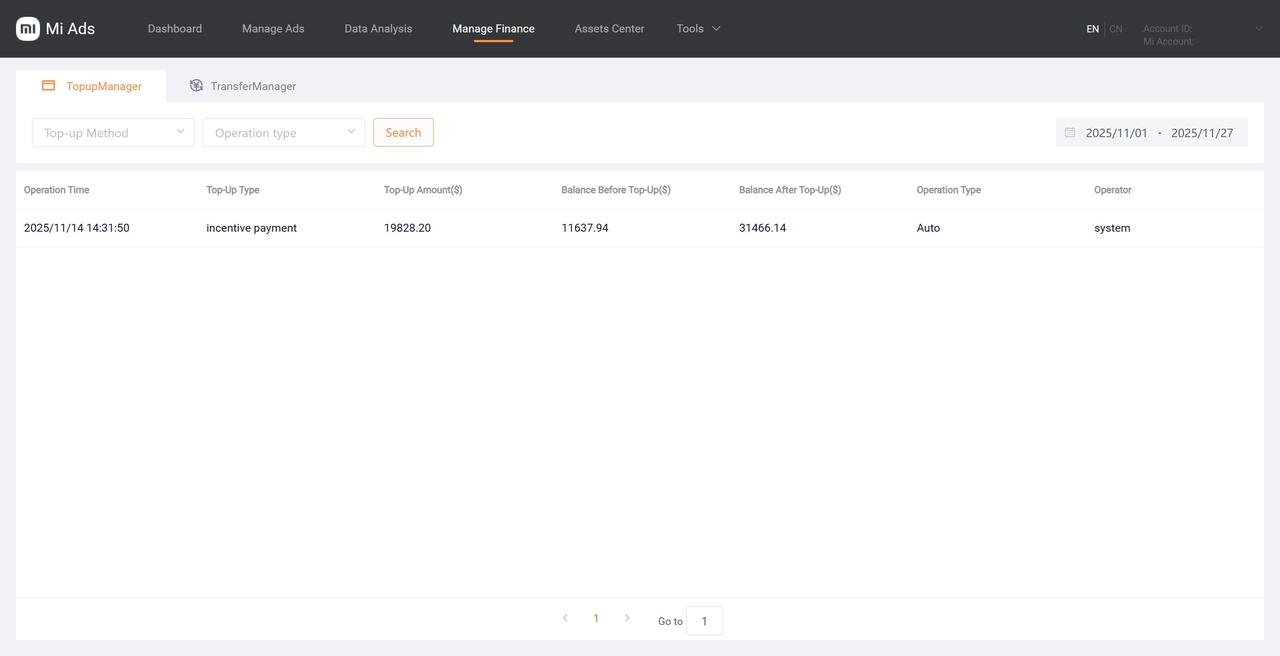
After the automatic oCPC credit top-up is processed each month, a new credit record will appear under the top-up management section in the financial management module of AA and advertiser accounts. To view, select incentive credit as the top-up type, filter by the corresponding date, and click “Search.”
# 5.2 Overview page
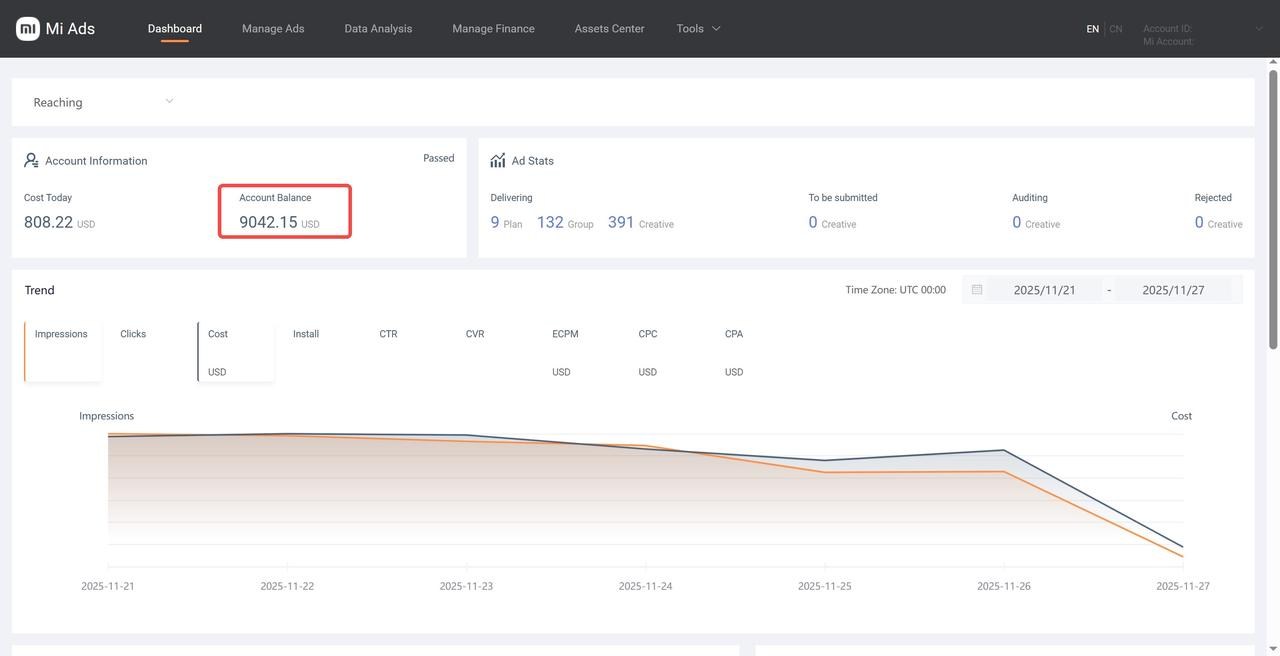
The account balance on the Mi Ads overview page of AA and advertiser accounts will also increase by the incentive amount credited for the month.
# 5.3 Data analysis page
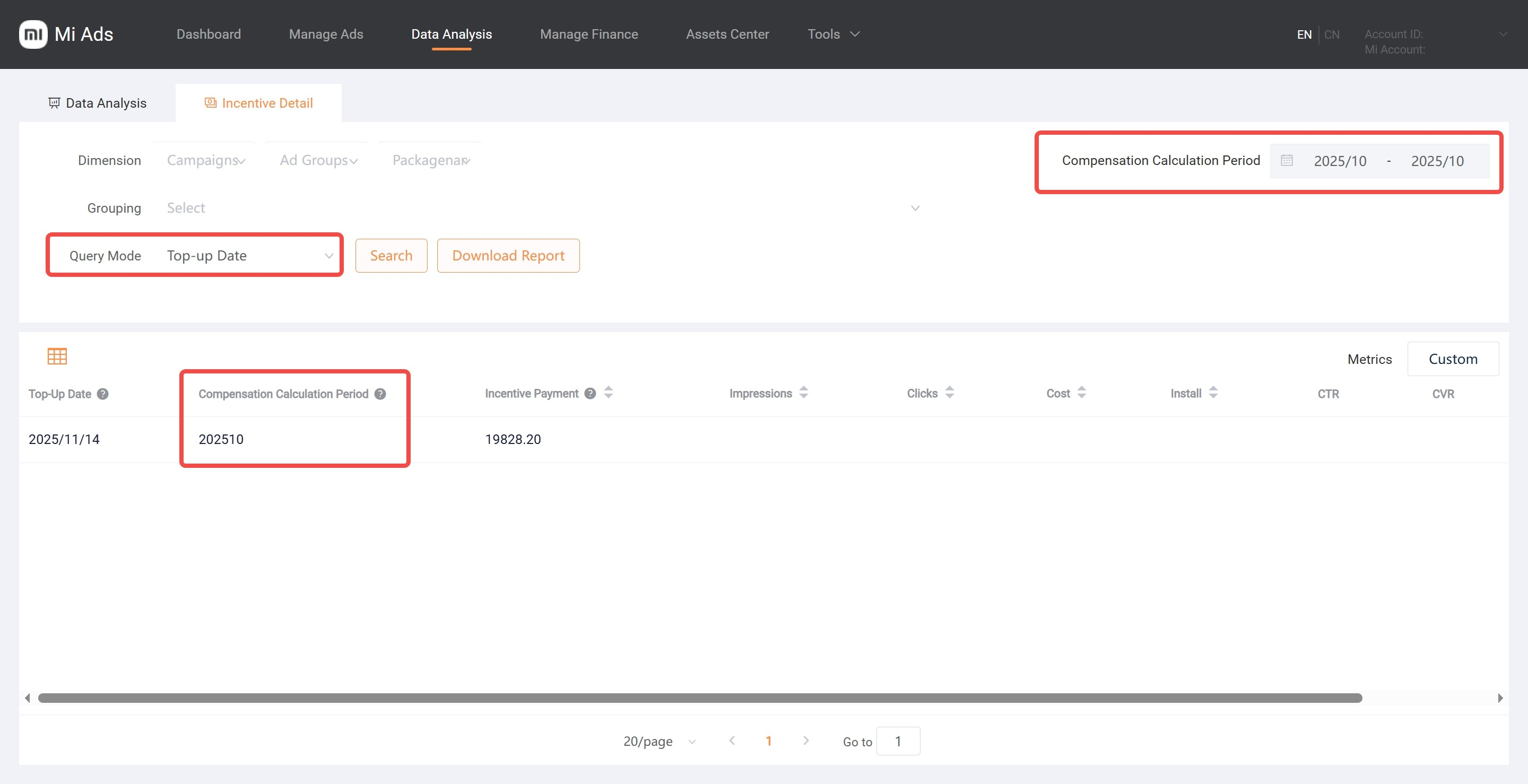
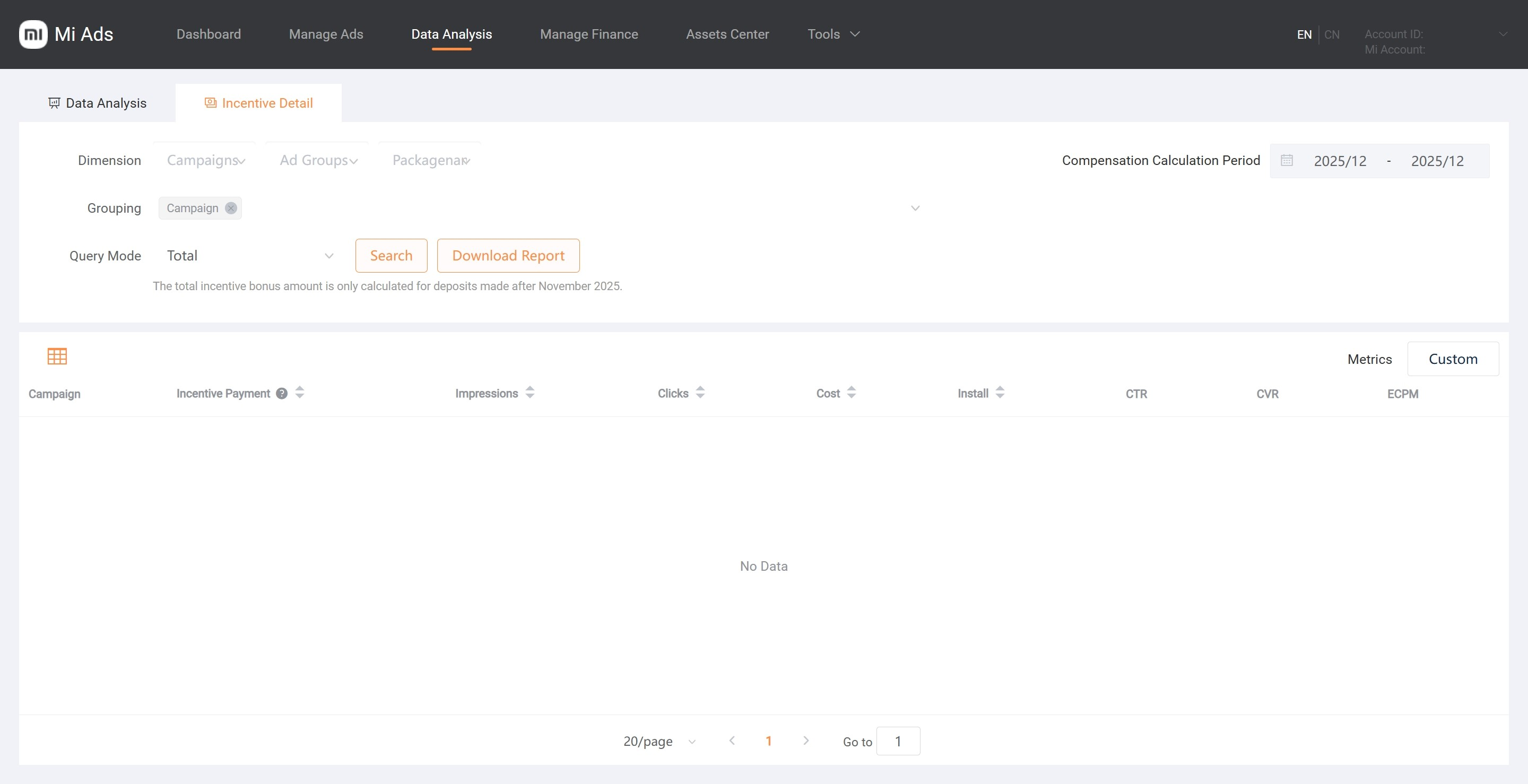
In the Data Analysis module, under Incentive Details, you can view incentives, costs, and performance metrics (impressions, clicks, conversions, CTR, CVR, and eCPM) by ad group.You can view the actual incentives from the previous month after the 10th of each month, and the estimated incentives for the current month from the 1st to the 10th of the following month.
- AA and direct client accounts support viewing by campaign, ad group, and package name list.
- Tier 2 accounts support viewing by AA account.
- Agency accounts support viewing by tier 2 account, AA account, and package name list.
When top-up date is selected as the query method, choose the top-up cycle. After clicking Search, the corresponding cycle for each incentive will be displayed in the list.